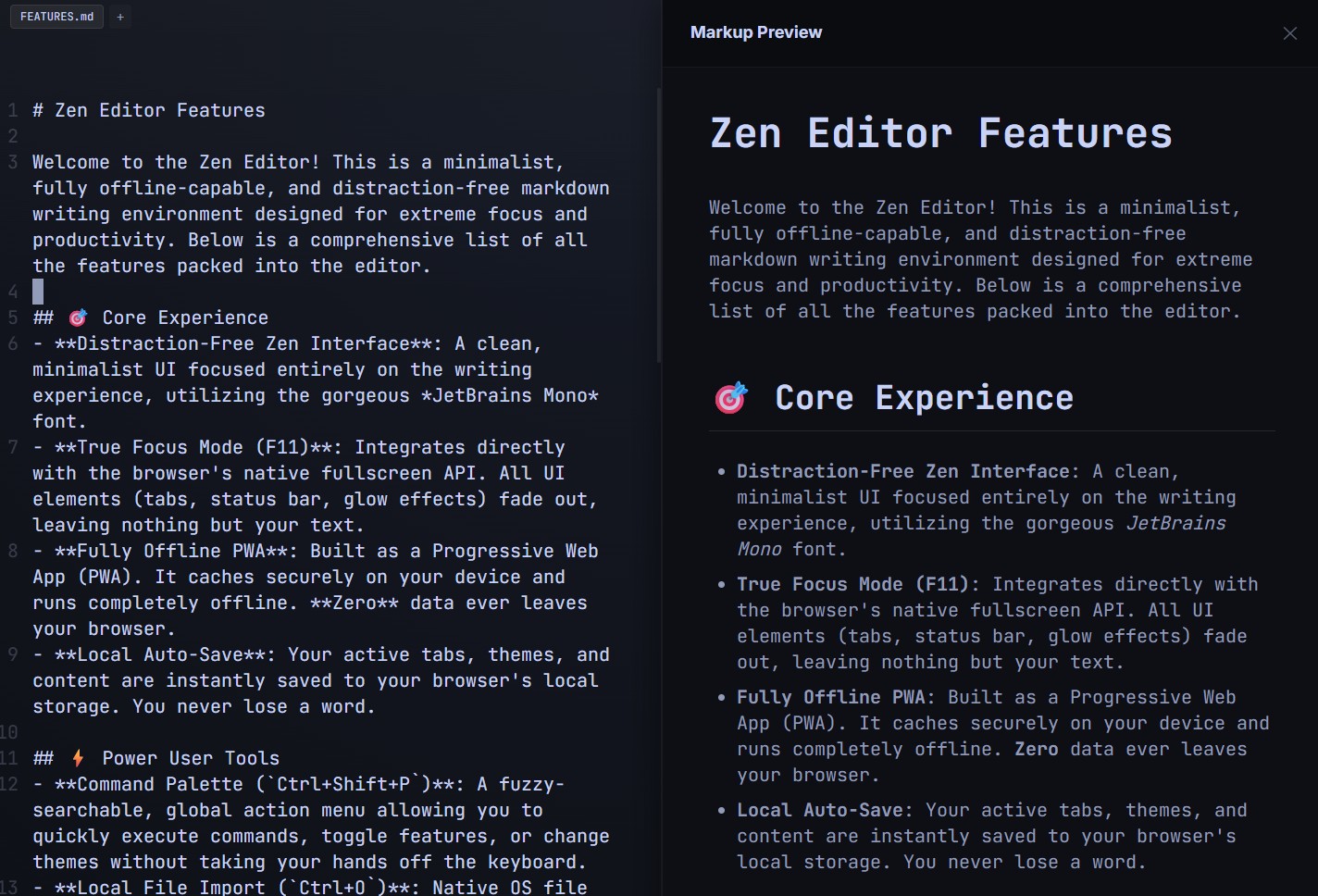
There is a stark divide in the world of text editors. On one side, you have bloated word processors that force you to constantly reach for your mouse to format text. On the other, you have heavy Integrated Development Environments (IDEs) built on massive Electron frameworks that take precious seconds to boot up.
If you are a power user—a developer drafting a README, a technical writer, or a keyboard-shortcut enthusiast—you need something right in the middle. You need a lightweight, blazing-fast markdown editor that respects a "hands-on-keys" workflow. Enter Zen Editor.
The Power of the Command Palette
The defining feature of any serious productivity tool is how well it keeps your hands on the keyboard. Zen Editor borrows the best workflow mechanism from top-tier IDEs: The Command Palette.
By hitting Ctrl+Shift+P, you instantly summon a fuzzy-searchable, global action menu. Instead of clicking through nested dropdown menus to change a setting or switch a theme, you simply type what you want to do.
- Want to toggle a feature? Type it.
- Need to switch to a dark theme? Type it.
This friction-free execution means your thought process is never interrupted by navigating a graphical user interface.
Native OS Integration Without the Bloat
Most browser-based editors struggle with file management, often forcing you to "upload" a file to their server just to read it. Zen Editor leverages modern web APIs to offer Local File Import via Ctrl+O.
This triggers your native Operating System file browser. You can pull local .md files directly into the editor instantly, with zero server-side processing. It feels exactly like a native desktop application, but it loads in milliseconds in your browser.
The Perfect Balance
By combining the JetBrains Mono font for pristine readability with power-user shortcuts and native file handling, Zen Editor delivers a professional-grade writing experience. It strips away the gigabytes of bloat associated with modern desktop apps, delivering a pure, high-performance markdown environment that keeps up with the speed of your thoughts.